
Bring Structure to Bug Intake and Prioritization
A practical flowchart template for support, QA, product, and engineering teams handling incoming defects.
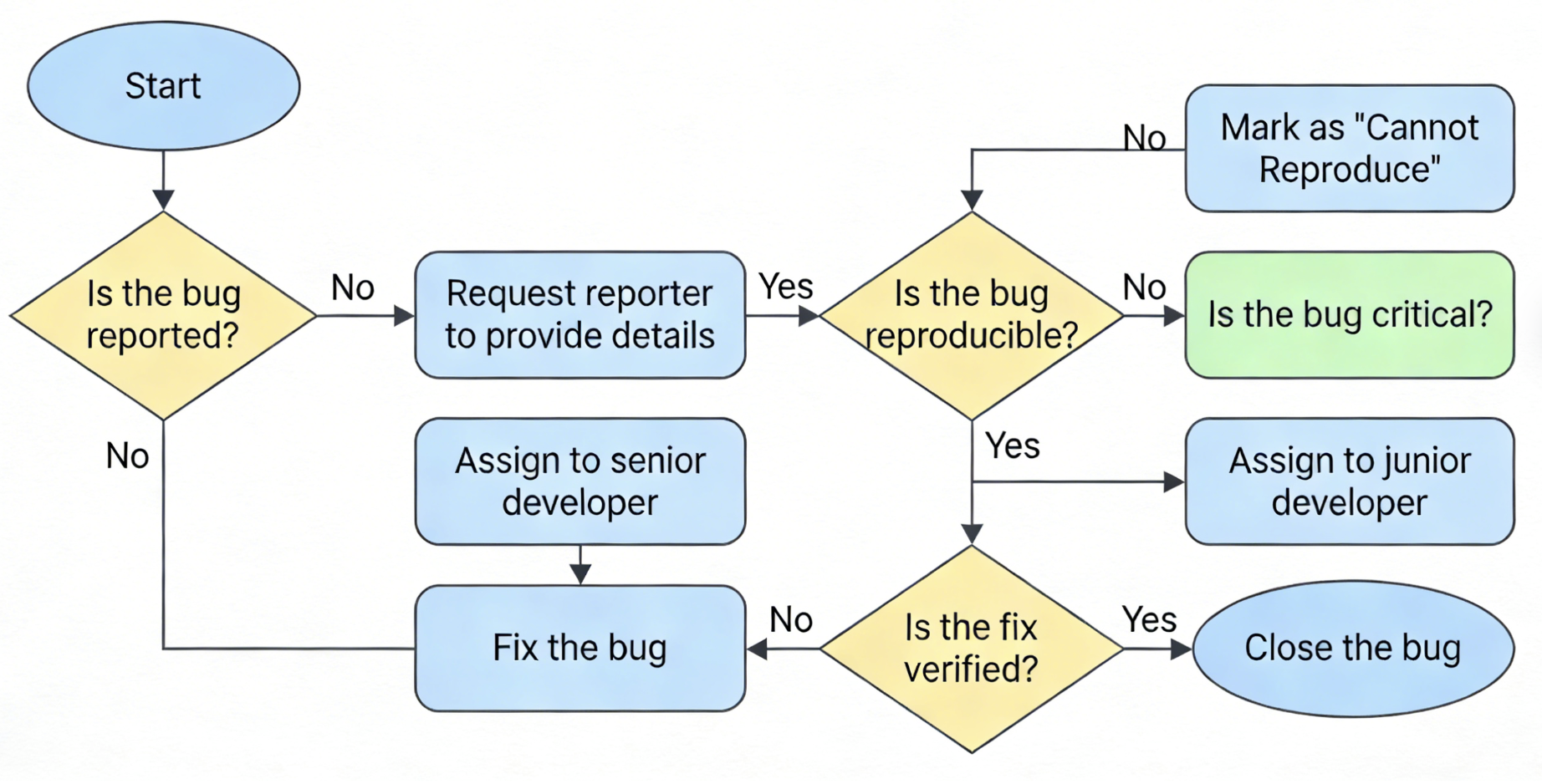
Problem This Template Solves
Bug queues become noisy when severity rules are unclear, reports arrive with uneven detail, and ownership shifts between support, QA, product, and engineering. This template gives teams a shared triage map so they can validate issues quickly, escalate critical defects, and route lower-priority bugs without losing operational clarity.
How to Use
-
Step 1
Capture and Validate the Report
Start with the issue source, reproduction details, affected environment, and customer impact so the team can separate valid bug reports from duplicates, missing-context tickets, or configuration questions.
-
Step 2
Assess Severity and Route Ownership
Use decision branches for reproducibility, production impact, affected users, workaround availability, and whether the issue should go to incident response, normal engineering triage, or backlog review.
-
Step 3
Resolve, Verify, and Close the Loop
Include the downstream steps for implementation, QA verification, stakeholder update, and closure so the chart covers the full path from intake to resolved issue.
Prompt to Generate
Create a bug triage flowchart with nodes: Bug Reported, Enough Detail Provided, Request More Information, Reproduce Issue, Duplicate Check, Severity Assessment, Critical Production Impact, Standard Engineering Queue, Incident Escalation, Backlog Review, Fix Implemented, QA Verification, Stakeholder Updated, Issue Closed. Use decision diamonds for enough detail, reproducible or not, duplicate or not, critical impact, and whether the issue should be escalated immediately.
FAQ
Who should use this bug triage template?
It is built for engineering managers, QA leads, support teams, product managers, and anyone who needs a shared process for routing and prioritizing software defects.
Can I adapt it for incidents or support escalations?
Yes. Keep the intake, validation, severity, and routing structure, then change the branch logic to reflect your incident response or support escalation policy.
Related Templates
Build Your Own Version in Minutes
Start with this template and customize every node in the AI editor.
Open in Editor